How to Page - Overhead

Apr 09, 2026
79

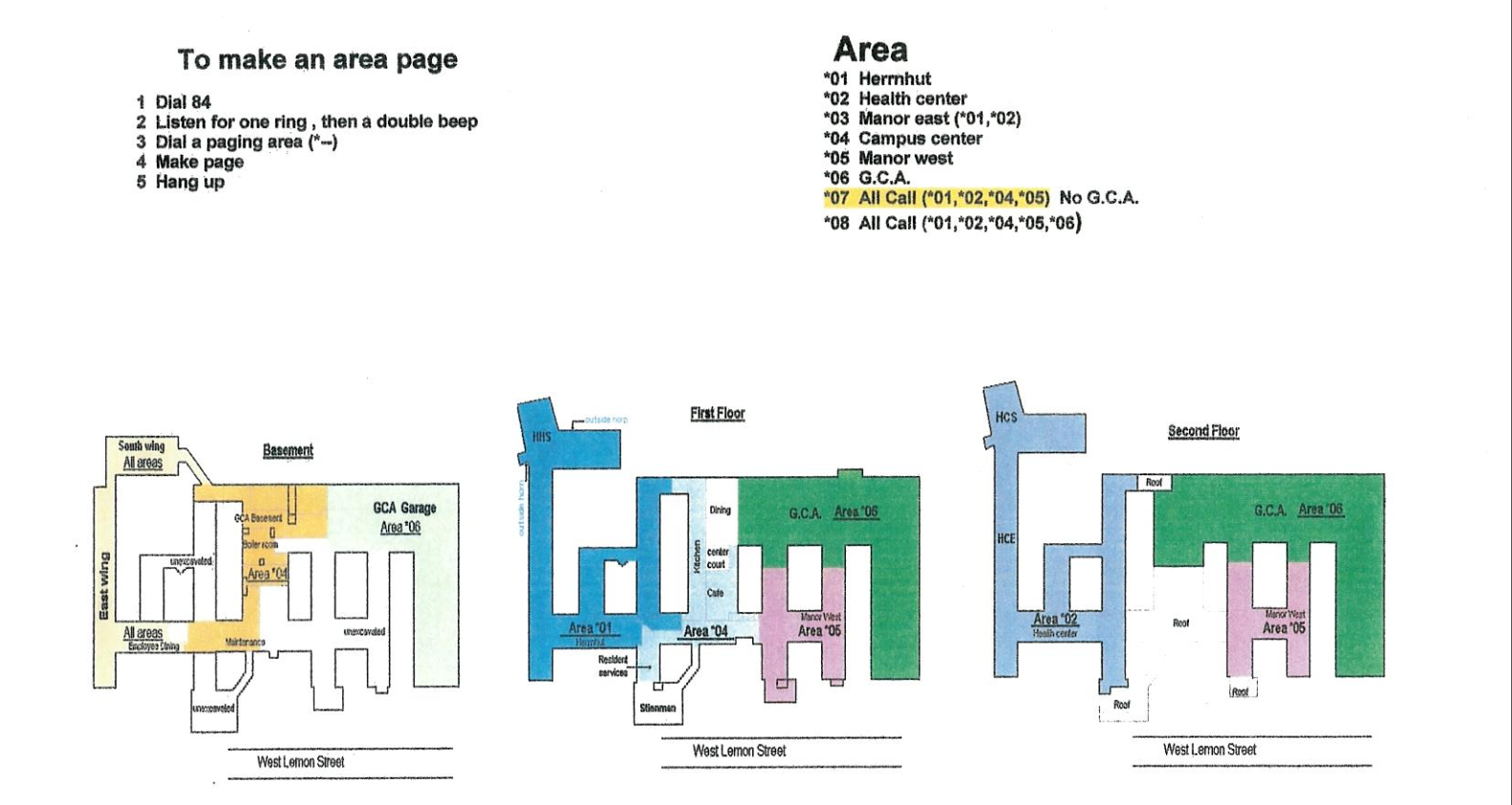
PAGING INSTRUCTIONS – DESK PHONE:
- Press the “Paging” button on your phone (bottom left of display screen) OR dial 8000
- Dial the paging zone you wish to reach:
- *01 – Herrnhut
- *02 – Health Center
- *03 – Manor East (*01, *02)
- *04 - Campus Center
- *05 – Baer Center (Manor West)
- *06 – Garden Court Apartments
- *07 – All minus Garden Court Apartments
- *08 – All areas
- Make your announcement
- Hang up
PAGING INSTRUCTIONS – Front Desk Microphone:
- Press the button on the microphone
- Speak your message
- Release mic button