

iPhone Network Settings Reset

Dec 18, 2023
108

If an iPhone cannot connect to the network, the network settings can be reset.
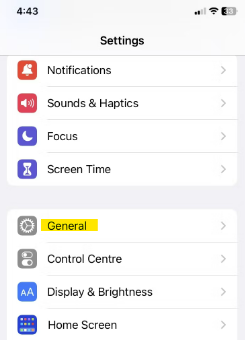
Go into the Settings Application.
Tap General.
Tap Transfer or Reset.
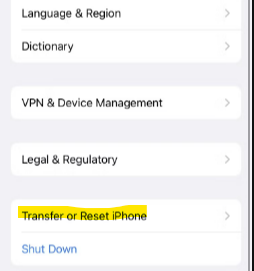
Tap Reset.
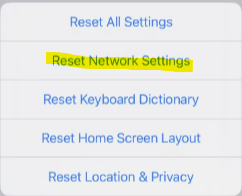
Tap Reset Network Settings.
After the iPhone reboots, re-connect the iPhone to the Wi-Fi network, the password may need to be entered again.

