How to download reports from JNL SafeHealthScreen

Jan 19, 2022
76

- Login to JNL Safehealthscreen here: https://moravianmanor.safehealthscreen.com/admin/login
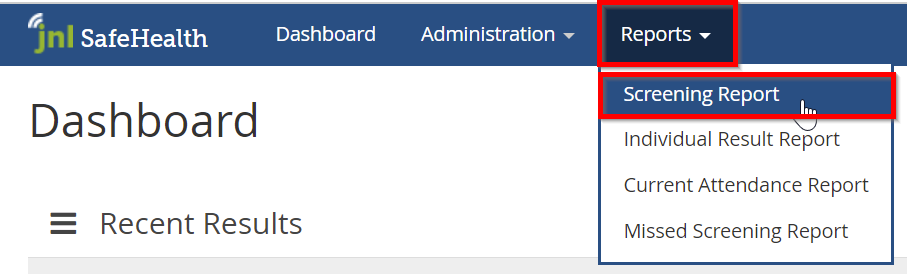
- Click the Reports tab, then click Screening Report
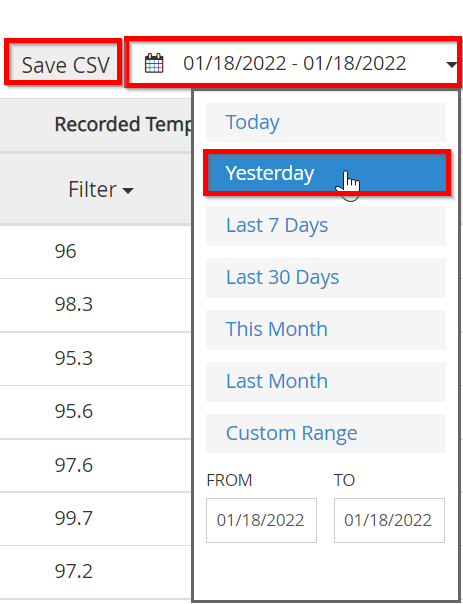
- Click the date box and then click your preferred date range. Click Save CSV to download the report in CSV format (open with Excel).