

Enroll a New Device in Microsoft Authenticator for Multi-Factor Authentication

Sep 02, 2025
141

Update your Multi-Factor Authentication Device
- Login to https://mysignins.microsoft.com/security-info using your MMC email and network password.
- Delete your old Microsoft Authenticator device.
- Click + Add sign-in method
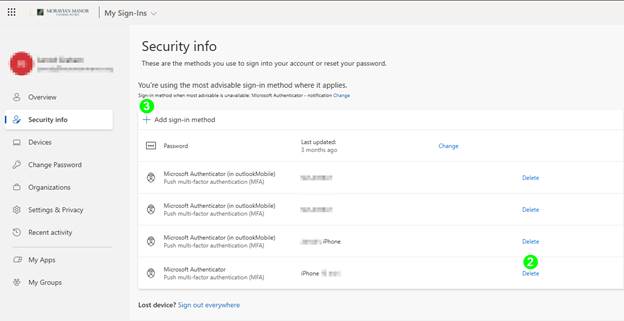
- Follow the MFA enrollment instructions to enroll your new device.

